
Introduction
Building a gaming PC is one of the best ways to enjoy high performance gaming with full control over your system. Unlike prebuilt computers, a custom gaming PC allows you to choose each part according to your needs and budget. This gives better performance, upgrade options, and long term value.
Many beginners feel confused when they hear about components like CPU, GPU, RAM, and motherboard. However, building a gaming PC is not as difficult as it seems. With the right guidance, anyone can build a powerful system at home.
In this guide, you will learn everything step by step in simple English. From choosing parts to assembling your PC, this article will help you create a perfect gaming setup without stress.
Understanding Gaming PC Basics
A gaming PC is made up of different parts that work together to deliver performance. Each component has a specific role, and choosing the right combination is very important.
The main parts include processor, graphics card, RAM, storage, motherboard, power supply, and case. All these components must be compatible with each other.
A balanced system is always better than focusing on just one powerful part. For example, a strong graphics card needs a good processor to perform properly.
Choosing the Right Processor (CPU)
The processor is the brain of your gaming PC. It handles all calculations and controls system performance.
Popular choices include Intel Core i5, i7, and AMD Ryzen 5 or Ryzen 7. For most gamers, a mid range processor is enough to run modern games smoothly.
If you plan to stream or edit videos, you may need a higher end CPU. Always check compatibility with your motherboard before buying.
Selecting the Best Graphics Card (GPU)
The graphics card is the most important part for gaming. It handles visuals, textures, and frame rates.
NVIDIA GeForce RTX and AMD Radeon series are popular choices. A good GPU ensures smooth gameplay and high quality graphics.
Choose a graphics card based on your gaming needs. If you play heavy games, invest more in GPU. It gives the biggest performance boost.
RAM and Memory Requirements
RAM helps your system run multiple tasks smoothly. For gaming, at least 8GB RAM is required, but 16GB is recommended.
More RAM allows better multitasking and smoother gameplay. It also helps in streaming and content creation.
Make sure to use dual channel RAM for better performance. This improves speed and efficiency.
Storage Options Explained
Storage is where your games and files are saved. There are two main types: HDD and SSD.
SSD is faster and improves loading times. Games start quickly, and system performance feels smooth.
HDD is cheaper and offers more space but slower speed. Many gamers use both SSD for system and HDD for storage.
Choosing the Right Motherboard
The motherboard connects all components together. It is important to choose one that supports your CPU, RAM, and GPU.
Check socket type, RAM slots, and expansion options before buying. A good motherboard ensures stability and future upgrades.
Do not overspend on motherboard, but do not choose a very cheap one either.
Power Supply Unit (PSU)
The power supply provides electricity to all components. It is a very important part that many beginners ignore.
Choose a reliable PSU with enough wattage for your system. A good quality power supply protects your components from damage.
Always buy from trusted brands and check efficiency ratings.
PC Case and Airflow
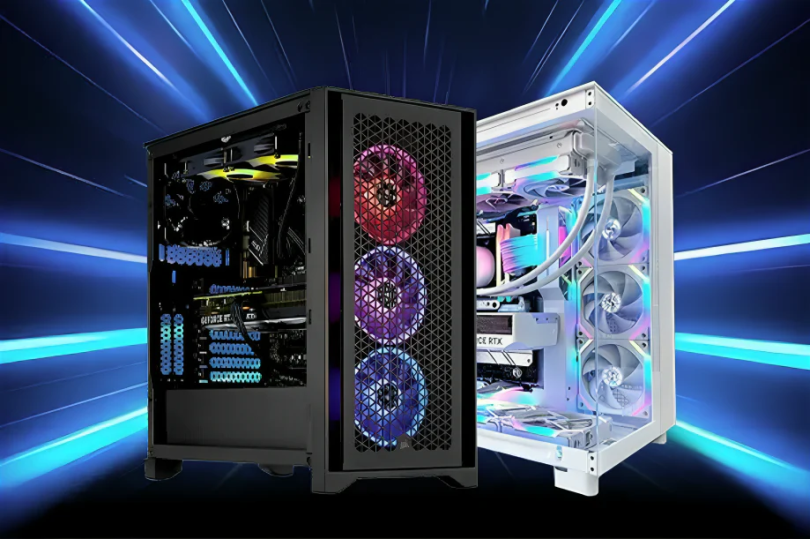
The PC case holds all components and affects cooling. A good case should have proper airflow and enough space for parts.
Choose a case with good ventilation and fans. This keeps your system cool during long gaming sessions.
A clean and organized case also improves performance and lifespan.
Cooling System Importance
Gaming PCs generate heat, especially during heavy gaming. Proper cooling is necessary to maintain performance.
Air cooling is common and affordable. Liquid cooling offers better performance but is more expensive.
Make sure your CPU has a good cooler. Also, install case fans for better airflow.
Step by Step Assembly Guide
Start by installing the CPU on the motherboard carefully. Then add RAM and storage devices.
Next, place the motherboard inside the case and secure it properly. Install the power supply and connect cables.
After that, install the graphics card in the PCIe slot. Finally, connect all cables and check everything before turning on the system.
Take your time and follow instructions carefully to avoid mistakes.
Installing Operating System
After building your PC, you need to install an operating system like Windows.
Use a USB drive to install the OS. Follow on screen instructions to complete setup.
Once installed, update drivers for GPU, motherboard, and other components.
Testing Your Gaming PC
Before using your PC fully, test all components. Check if system starts properly and runs smoothly.
Use basic software to monitor temperature and performance. This helps ensure everything is working correctly.
If you notice any issue, fix it early to avoid bigger problems later.
Tips for Better Performance
Keep your system clean and dust free. Dust can reduce airflow and cause overheating.
Update drivers regularly for better performance. Close unnecessary background apps while gaming.
Also, adjust game settings according to your hardware for smooth gameplay.
Common Mistakes to Avoid
Do not mix incompatible components. Always check compatibility before buying.
Avoid cheap power supplies because they can damage your system.
Do not ignore cooling. Overheating can reduce performance and lifespan.
Take your time during assembly and do not rush the process.
Upgrading Your Gaming PC
One advantage of building your own PC is easy upgrades. You can upgrade RAM, GPU, or storage anytime.
This allows your system to stay updated with new games and technology.
Plan your build in a way that future upgrades are possible.
Conclusion
Building a gaming PC is a rewarding experience that gives you full control over performance and budget. It may seem difficult at first, but with the right guidance, it becomes easy and enjoyable.
By choosing the right components and assembling them carefully, you can create a powerful gaming machine that lasts for years.
Always focus on balance, compatibility, and quality. With proper planning and maintenance, your gaming PC will deliver smooth performance and amazing gaming experience.